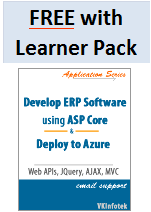
With Azure picking up rapidly and successful release of Windows IoT core, we have discontinued Android. We have replaced Android book with Azure and IoT book. For .Net developers it is Azure, ASP, and IoT.
Chapter 1: Android Introduction
- Software required for Developing ANDROID Apps
- Features of Android
- Android Application Components
- Activities
- Intents
- Services
- BroadcastReceivers
- Content Providers
- AndroidManifest.xml
- Setup Android Development Environment
- Download Java platform installation
- Download Android SDK
- Download Eclipse IDE for java Developers
- Configure Android SDK
- Create an Android Virtual Device(AVD)
- Configure Eclipse
- Install the ADT plug-in
- Eclipse IDE Perspectives
- Java perspective
- DDMS perspective
- Compile and run an Android Application
- Android Runtime
- Android Emulator
- Setup Emulator run configurations
- Debugging Android application
Chapter 2: User Interfaces
- User Interface of an Android Application
- Create Android Project
- Resources used in an Android Application
- Create the Layout resource
- Design the screen
- Place the editText view
- Place the Spinner view
- Configure the Spinner view
- Place multi-line EditText view
- Place the CheckBox control
- Place the Button view
- Read the data entered in all the widgets - Spinner and CheckBox
- Menus
- Create the Options Menu for the Address Book
- Create Context Menus
- Handle the Option menu item events
- Layouts
- Declare and loading LinearLayout
- RelativeLayout
- TableLayout
- Use different Views (Spinner, ListView, EditView)
- ListView widget to display customers
- Create lists using Android ListActivity class
- Populate the Spinner with an array resource
- Customize the ListView
Chapter 3: Intents and BroadcastReceivers
- What are Intents
- Types of Intents
- How to Construct a New Implicit Intent
- Implicit Intents Invocation
- Service Implicit Intents using Intent Filters
- Intent Resoulution
- Explicit Intentts
- How to Start an Activity explicitly using Explicit Intents
- How to handle Sub Activity Results
- Implement Broadcast Receivers
- Custom Intent
Chapter 4: Developing an Android database application
- Create an Android database Application
- SQLite
- Create SQLite Database for the SalesOrder App
- View records in SQLite Manager
- Create SQLite helper Class to create database
- Add records to the database
- Query the data from the SQLite database
- Concept of Cursors
- Edit records
- Retreive records programmatically
- Create the SalesOrder Application
- Display Customer list and accept a customer name
- Accept multiple products, their quantities and rates using HashMap
- Save the data into the SQLite database
- Android Transaction methods:
- beginTransaction
- setTransaction Successful
- endTransaction
- Commit
- Rollback