Develop An Accounting Package Using Visual Basic

ISBN: 81-901331-0-1
Weight: 2 Pounds
Pages: 453
Objective
The objective of this book is to teach the secrets of developing an accounting software package for a Client/Server Network in Visual Basc. The techniques of developing an accounting package using Visual Basic are taught using business logics, programs, flow charts, and other tools to make learning easy and comprehensive.
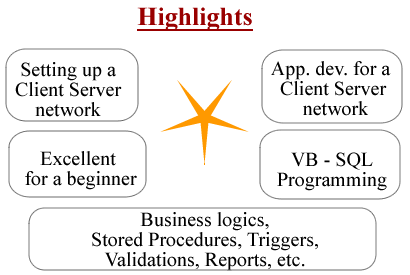
Note that by reading these books you will be able to independently develop database applications for a network too. You will learn how to develop the application using programming techniques ( hard coding ) and not by wizards.
Contents
Part 1 : Chapter 1: Basics of Networking
- Basic Components of a network
- Topologies
- Technologies
- Network Protocols
- Functions of a NIC
- Setting up the Network
Part 1 : Chapter 2: Establishing Network Environment
- Network Operating Systems
- Getting Started
- Preparation to install Windows 2003 Server
- DNS Server
- IP Addressing
- DHCP Server
- Network Models
- Workgroup Model
- Domain Model
Part 1 : Chapter 3: Installing SQL Server on Client/Server network
- Creating a dedicated Service Security Account
- Server Components
- Client Components
- SQL Server Tools
Part 2 : Chapter 1: Securing the Database
- Creating Logins
- Adding New Windows Logins
- Default Logins
- Addind a standard SQL Login in Enterprise Manager
- Adding Logins to server Roles
- Fixed Roles
- Adding a Login to a fixed Server role in Enterprise manager
- Granting Access to Databases
- Adding a User account to a Database in Enterprise Manager
- Assigning User permissions
- Grouping Users into Database Roles
- Fixed Database Roles
- Understanding the Windows Authentication Mode
- Understanding the SQL Server Authentication Mode
Part 2 : Chapter 2: Implementing The Physical Database Schema
- Creating the Database Files
- Database-File Concepts
- Configuring File growth
- Multiple Database Files
- Multiple Filegroups
- Viewing a Database
- Renaming a Database
- Modifying a Database
- Dropping a Database
- Creating Tables
- Creating Primary Keys
- Creating Foreign Keys
- Creating Column Data Types
- Adding Data Integrity Constraint
- Creating Indexes
- The INSERT Statement
- The DELETE Statement
- The UPDATE Statement
- The WHERE Clause
- The TOP KEYWORD
- The LIKE Operator
- The ORDER BY Clause
- Calculated Fields
- Creating and Executing Stored Procedure
- Using Parameters with Stored Procedures
- Using OUTPUT Parameters
- T_SQL: The Language
- Control-of-Flow Statements
- Triggers
- Transactions
Part 3 : Chapter 1: Visual Basic
- Elements of a Project in Visual Basic
- Development Environment in Visual Basic
- Commonly used Standard Controls in Visual Basic
- Data Types in Visual Basic
- System Defined Functions in Visual Basic
- Control Structures in Visual Basic
- Operators in Visual Basic
- Modules in Visual Basic
- Procedures in Visual Basic
- Events in Visual Basic
- Menus in Visual Basic
- Visual Basic Programming Concepts
Part 3 : Chapter 2: ADO (ActiveX Data Objects)
- ADO objects
- Creating a Connection object
- Retrieving data from the data source
- Multiple Command Objects Using a Single Connection
- Inserting a new record, updating and deleting a record using the Execute command
- Executing a Stored Procedure from a Command object
- Executing a Stored Procedure having INPUT parameters using a Command object
- Executing a Stored Procedure having INPUT and OUTPUT parameters using a Command object
- Creation of Recordset
- Creation of RecordSert as a Server-side Recordset and Client-side Recordset
- Assigning a Lock for a client-side Recordset object
- Navigating a recordset and Binding controls to a recordset
- Using a recordset to add a new record delete and modify a record
Part 4 : Chapter 1: Accounting for Engineers
- Business transactions
- Financial Position and Accounting Equation
- Accounts
- Commonly used Accounts
- Chart of Accounts
- Groups
- Double Entry System
- Analysis of Transactions
- The Voucher System
- Typical Transactions
- Financial Statements
Part 5 : Chapter 1: Developing the Masters
- Creating a Project in Visual Basic
- Creating the Menu in Visual Basic
- Standard Modules in Visual Basic
- Exploring the FinAccounting Database
- Understanding the Client/Server Architecture
- Designing the Database Using SQL Server
- GroupConstantsModule
- Populating the Group table
- Designing and Programming the Accounts Form
- Connecting the Accounts Form to the menu and using the Option
Part 5 : Chapter 2: Developing the Tran Class and Programming the Transactions
- Developing the Tran Class using Visual Basic
- TranClass Template
- Add a Class to the project using Visual Basic
- Declarations
- Writing property procedures in Visual Basic
- Class_Initialize Event in Visual Basic
- Writing class services in Visual Basic
- Designing and programming the Journal Form in Visual Basic
- Designing and programming the VouRec Form in Visual Basic
- Designing and programming the PurSal Form in Visual Basic
- Programming the Transactions
Part 5 (Cont.): Chapter 3: Developing the Reports
- Microsoft Data Report (Inlcuded in Visual Basic)
- Common Controls used for programming reports in Visual Basic
- Designer Screen of the Microsoft Data Report
- Using the Microsoft Data Report - To add a control
- Designing and Programming the DayBook using Visual Basic
- Designing and Programming the Registers using Visual Basic
- Designing and Programming the Trial Balance using Visual Basic
- Income Statement using Visual Basic
Technical Perspective
This book adopts an OOPs approach using Visual Basic to develop an accounting application for a C/S network. You will see why Object Oriented Approach is beneficial in many situations. The reports and transactions dealt with in this book are specific to an accounting application. Combined with the Inventory Application learnt in the title " Develop an Inventory Management Application using Microsoft's Visual Basic " you will be able to mix and match and develop an industry ready software.